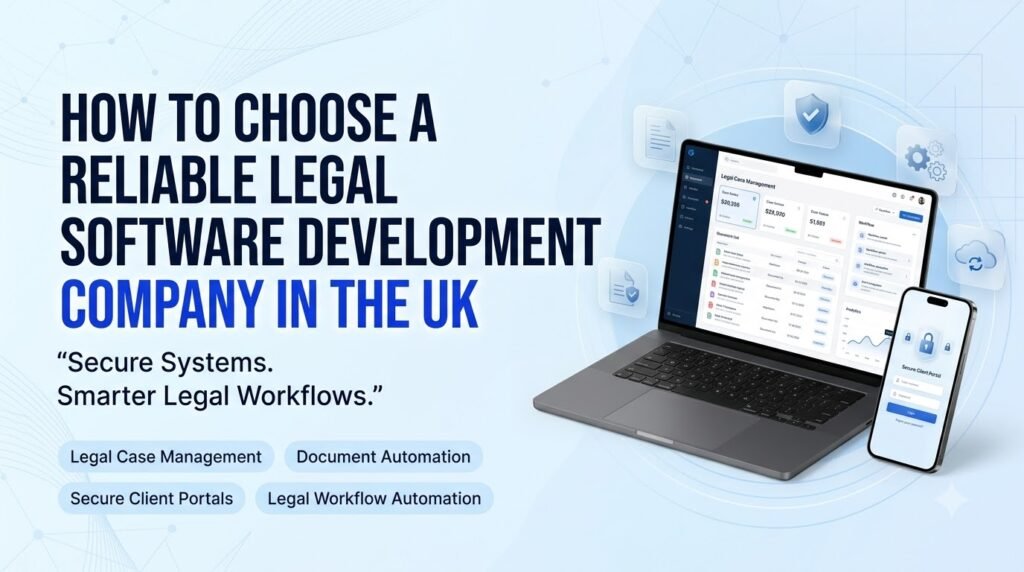





The legal sector is becoming increasingly dependent on digital tools to manage cases, organize documents, communicate with clients and coordinate day-to-day operations. For law firms, solicitors, barristers’ chambers and in-house legal departments, the right technology can reduce administrative pressure, improve access to information and make existing workflows easier to manage. However, these benefits depend on selecting software that reflects the organisation’s actual needs.
Choosing a Legal software development company in the UK requires more than comparing prices or reviewing a list of technical features. Legal professionals work with confidential client information, sensitive documents, strict deadlines and professional responsibilities. Any software supporting these activities must be designed around security, accuracy, reliability and practical usability.
Some organisations can meet their requirements with established legal software products, while others need custom legal software development to accommodate specialist workflows, integrations or reporting requirements. Understanding the difference is an important first step.
This guide explains how UK legal businesses can evaluate technology providers, identify suitable software solutions, manage security risks and select a development partner capable of supporting their long-term operational goals.
Why UK Law Firms Need Modern Legal Software
Legal professionals often manage multiple matters simultaneously, with each requiring its own documents, correspondence, deadlines, client records and internal tasks. When these activities depend on spreadsheets, email folders and disconnected applications, important information can become difficult to locate and administrative work can consume valuable time.
Modern law firm management software brings relevant information into a more organised working environment. Rather than relying on separate tools for every activity, legal teams can establish clearer processes for managing matters, assigning responsibilities and tracking progress.
Common operational challenges include:
- Case and deadline management: Monitoring hearings, filing dates, appointments, contractual obligations and internal milestones.
- Document organisation: Maintaining accessible records of contracts, correspondence, evidence and case-related documents.
- Billing and time tracking: Recording billable work, preparing invoices and monitoring outstanding payments.
- Team coordination: Assigning tasks to solicitors, paralegals and administrative staff while maintaining visibility of responsibilities.
- Client communication: Keeping client information, updates and relevant correspondence organised.
- Confidentiality: Ensuring that sensitive information is accessible only to authorised individuals.
- Multi-office operations: Coordinating work across locations, departments and practice areas.
Suitable legal practice management software can help reduce repetitive administration and give managers a clearer view of workloads and outstanding tasks. However, technology should support established professional procedures rather than replace legal judgment or individual responsibility.
The objective is not simply to digitise existing paperwork. It is to create a more dependable way of managing legal work.
What Are the Best Legal Software Solutions for UK Businesses?
The Best legal software solutions for UK businesses depend on the organisation’s size, practice areas, budget, existing technology and operational priorities. A small solicitors’ practice may need straightforward matter management and billing, while a larger legal department may require contract workflows, access controls, reporting and connections with enterprise systems.
The main categories to consider include the following.
1. Legal Case and Matter Management
Legal case management software helps teams organise matter records, deadlines, tasks, correspondence and supporting documents. It is particularly useful for firms handling numerous active cases that require coordinated work across different team members.
2. Legal Practice Management and Billing
These platforms support operational activities such as time recording, invoicing, expense tracking, matter administration and financial reporting. Firms should assess whether the product supports their billing arrangements and relevant accounting requirements.
3. Legal Document Management and Automation
Document management systems provide structured storage, version control, access permissions and search capabilities. Legal document automation can also generate standard documents using approved templates and verified matter information.
4. Contract Lifecycle Management
Contract lifecycle management software supports processes such as contract creation, review, approval, execution, renewal and retention. It can be useful for in-house legal teams and organisations managing large numbers of commercial agreements.
5. Legal CRM Software
Legal CRM software helps organisations manage prospective clients, enquiries, relationships and communication histories. Firms should consider how CRM functionality connects with matter management without unnecessarily exposing confidential case information.
6. Legal Research and Knowledge Management
Research tools help legal professionals find relevant authorities, legislation, commentary and internal precedents. The appropriate solution depends on the practice area, jurisdiction and reliability of the available content.
7. Client Portals and Secure Document Sharing
Client portal development for law firms can provide a controlled environment for exchanging documents, viewing permitted updates and completing administrative tasks. Authentication, access permissions and secure communication are essential considerations.
8. Workflow Automation and Reporting
Legal workflow automation can coordinate routine activities, such as assigning tasks, requesting approvals, generating notifications and producing management reports.
Before choosing a product, compare these capabilities with the problems your organisation actually needs to solve. Purchasing a comprehensive platform may be unnecessary if only a few functions are required. Conversely, commissioning a tailored application may be justified when existing products cannot accommodate essential workflows or integrations.
How Custom Legal Software Development Improves Case Management
Custom legal software development allows an organisation to build an application around its specific working procedures rather than forcing its team to adapt to every limitation of a generic product.
A tailored case management platform can include matter creation, categorisation, milestone tracking, document storage, task assignment and searchable client histories within a consistent interface. Managers may also have access to dashboards showing workload distribution, upcoming deadlines and outstanding actions.
Consider a firm managing commercial disputes, property matters and employment cases. Each practice area may follow different internal processes and require different documents, approvals and reporting fields. A configurable system can accommodate these variations while maintaining common standards for access control and record management.
Useful features may include:
- Centralised matter records with clearly defined ownership.
- Configurable tasks, milestones and reminder rules.
- Searchable document and correspondence histories.
- Permission-based access to sensitive information.
- Reporting tools for operational oversight.
- Audit records showing relevant user actions and changes.
Deadline reminders can support legal professionals, but they should never be treated as a substitute for checking applicable court rules, calculating deadlines correctly and maintaining appropriate supervision.
A reliable development partner will first map the firm’s processes, identify exceptions and agree on requirements before recommending a technical design. This reduces the risk of building software that looks impressive but does not fit everyday legal work.
Legal Document Automation and Workflow Efficiency
Document preparation and review can involve repeated administrative steps, particularly when similar documents are produced across numerous matters. Legal document automation helps standardise these processes while reducing unnecessary manual entry.
For example, an application could populate an approved template with verified client details, matter references and relevant dates. It could then route the document to the appropriate reviewer, record revisions and notify authorised team members when approval is required.
A well-designed solution may also support:
- Document generation from controlled templates.
- Version history and change tracking.
- Approval workflows and task assignment.
- Routine notifications and status updates.
- Contract renewal reminders.
- Electronic signature integrations where appropriate.
- Consistent naming, classification and document retrieval.
Automation is most effective when the underlying templates and processes are accurate. Important legal documents still require suitable professional review, and automated population should not be assumed to verify the legal correctness of the content.
Firms should also decide who is authorised to amend templates, approve documents and access previous versions. These controls help preserve consistency and accountability as the organisation grows.
Data Security, Confidentiality and UK Legal Requirements
Security should be a central selection criterion when evaluating any legal technology provider. Legal organisations may process personal data, commercially sensitive information, financial records and confidential communications. A weakness in the software or its supporting infrastructure can expose this information to unauthorised access, loss or misuse.
A prospective Legal software development company in the UK should be able to explain how security is incorporated throughout design, development, deployment and maintenance.
Essential security measures
Role-based access controls: Permissions should reflect each user’s responsibilities. A person working on one matter should not automatically have access to every client’s files.
Encryption: Data should be protected in transit and at rest using appropriate encryption methods and sound key-management practices.
Secure authentication: Depending on the application’s risk profile, safeguards may include multi-factor authentication, session controls and secure account recovery.
Audit logging: Relevant events, including access to sensitive records and significant changes, should be recorded and protected against inappropriate alteration.
Backups and disaster recovery: Documented backup procedures, recovery testing and business continuity arrangements help the organisation respond to system failures or data loss.
Retention and deletion: The system should support the organisation’s retention policies and secure deletion requirements, including appropriate handling of backups and archived records.
Third-party risk management: Cloud hosting providers, AI services, document signing platforms and other integrations should be assessed for their security, data handling and contractual arrangements.
Security testing: Appropriate testing should identify vulnerabilities before release and continue as the application evolves.
Understanding UK data protection obligations
The UK GDPR and the Data Protection Act 2018, as amended where applicable, are important considerations when legal organisations process personal data. Depending on the circumstances, organisations must assess matters such as lawful processing, data minimisation, access rights, security, retention and the handling of personal data breaches.
The precise obligations depend on the organisation’s role, the data involved and the nature of the processing. Firms should also consider applicable professional rules and regulatory guidance. For example, the Solicitors Regulation Authority is relevant to solicitors and regulated firms in England and Wales, while Scotland and Northern Ireland have their own regulatory arrangements.
Cross-border processing, international hosting and transfers of personal data require particular attention where relevant. The location of a server alone does not establish whether a processing arrangement is compliant.
A software provider can help implement appropriate technical and organisational safeguards, but software alone does not guarantee legal or regulatory compliance. The organisation remains responsible for assessing its obligations and obtaining specialist advice where necessary.
Integrating Legal Software With Existing Business Systems
New software rarely operates in isolation. Legal teams may already use accounting applications, email platforms, document repositories, identity management tools and electronic signature services. A new application that cannot communicate reliably with these systems may create more administrative work rather than less.
Legal software integration should therefore be assessed during the planning stage.
Consider whether the proposed application can connect securely with:
- Accounting and billing platforms.
- Email and calendar applications.
- Document storage and collaboration systems.
- Electronic signature providers.
- Customer relationship management tools.
- Identity and access management services.
- Reporting and business intelligence platforms.
Ask potential providers whether the required integrations are supported through established APIs, approved connectors or another documented approach. Clarify whether additional licensing, third-party subscriptions or ongoing integration costs will apply.
Data migration deserves equal attention. Moving information from an existing platform requires an inventory of records, data mapping, validation rules and a plan for handling duplicates or incomplete entries. Historical documents, access permissions and relevant audit records may also need to be preserved.
Before switching systems, test representative workflows and reconcile migrated records. A phased rollout may be more appropriate than an immediate replacement, particularly when the software supports active matters or business-critical processes.
The Role of AI in Modern Legal Technology Solutions
AI is creating new possibilities for Legal technology solutions UK organisations can use to support document-heavy and information-intensive work. Its value depends on the quality of the underlying data, the suitability of the task and the controls surrounding the technology.
Potential applications include:
- Document classification: Categorising documents and extracting specified information for review.
- Knowledge search: Finding relevant information within approved internal repositories.
- Document summarisation: Producing initial summaries for a qualified professional to check.
- Information checks: Highlighting missing fields, inconsistencies or incomplete records.
- Administrative research support: Organising research materials and identifying relevant topics for further investigation.
- Drafting assistance: Preparing preliminary text using approved sources, templates and instructions.
AI should not be treated as an authoritative source of legal advice. Generated content may contain fabricated citations, omit important context or misinterpret legal language. Legal authorities, quotations, calculations and conclusions must be independently verified by an appropriately qualified professional.
Confidentiality is another major consideration. Before using an AI service, organisations should understand whether submitted information is retained, used for model training, shared with third parties or processed outside the UK. Access controls and contractual safeguards should reflect the sensitivity of the information.
A sensible implementation begins with a defined use case, a limited pilot and clear human-review requirements. Firms should evaluate accuracy, consistency, time savings and risks before expanding the feature. AI should assist legal professionals, not independently determine legal advice or outcomes.
Custom Legal Software vs. Ready-Made Legal Platforms
There is no single right choice for every organisation. Established legal platforms may provide mature functionality and faster implementation, while custom applications can address requirements that existing products do not adequately support.
| Consideration | Ready-made platform | Custom-built application |
|---|---|---|
| Initial implementation | Often quicker when requirements match the product | Usually requires discovery, design and development |
| Initial cost | Typically based on licences, configuration and implementation | Depends on scope, complexity and integrations |
| Customisation | Limited to supported settings and extensions | Can be tailored to agreed business requirements |
| Integration | Depends on available connectors and APIs | Can be designed around required integrations |
| Maintenance | Often includes vendor-managed product updates | Requires an agreed maintenance and support arrangement |
| Scalability | Depends on product capabilities and subscription terms | Can be designed for expected growth, subject to ongoing engineering |
| Data portability | Depends on export options and contract terms | Depends on architecture, documentation and export capabilities |
| Vendor dependency | Tied to the product provider and its roadmap | Depends on the development agreement and maintainability of the code |
A ready-made product may be the sensible option for a firm with standard workflows, a limited budget or a need to implement quickly. Custom development is worth evaluating when business-critical processes, specialist reporting, legacy integrations or differentiated services cannot be supported adequately by existing products.
There is also a middle ground: configure an established platform, extend it with targeted integrations or develop a smaller custom application alongside existing systems.
Compare the total cost of ownership rather than the initial quotation alone. Include licences, migration, training, support, hosting, upgrades and future changes. This gives decision-makers a more realistic basis for comparison.
How to Evaluate a Legal Software Development Company in the UK
Selecting a technology partner requires a structured assessment of technical capability, communication, security practices and long-term reliability. The cheapest proposal may not be the most cost-effective if it overlooks migration risks, ongoing support or essential requirements.
1. Assess relevant technical experience
Look for evidence of experience building secure business applications, document management systems, workflow tools and complex integrations. Relevant legal-sector experience can be valuable, but providers should demonstrate their actual capabilities rather than relying on broad claims.
Ask to review comparable projects, technical case studies or demonstrations where information can be shared appropriately.
2. Check understanding of legal workflows
The provider should understand that legal work involves deadlines, matter-specific permissions, document histories and confidential communications. During discovery, the team should ask about exceptions, approvals, responsibilities and jurisdiction-specific requirements instead of assuming every firm operates in the same way.
3. Review the proposed architecture and security approach
Ask how the application will handle authentication, access permissions, encryption, logging, backups and vulnerability management. Request a clear explanation of how sensitive information will flow between the application and any third-party services.
Security commitments should be specific enough to evaluate and documented in the project agreement.
4. Evaluate usability and accessibility
Legal professionals should be able to complete everyday tasks without navigating unnecessarily complicated screens. Review prototypes or early designs with representative users, including solicitors, paralegals and administrative staff.
Clear navigation, effective search, accessible interfaces and sensible task flows can have a significant effect on adoption.
5. Demand a transparent project plan
A credible proposal should define the project scope, deliverables, assumptions, dependencies, milestones, acceptance criteria and pricing model. It should also explain how changes will be assessed and charged.
Avoid approving a large project based on a vague feature list. Begin with prioritised requirements and, where appropriate, a minimum viable product that can be tested before additional features are commissioned.
6. Clarify data migration and integration responsibilities
Establish who will map, transfer, validate and reconcile existing data. Confirm which integrations are included, what third-party access is needed and who will resolve issues involving external systems.
7. Confirm ownership and long-term support
The contract should clarify ownership or licensing of custom-developed source code, intellectual property, reusable components and documentation. It should also explain access to repositories, handover arrangements, hosting responsibilities and what happens if the relationship ends.
Maintenance terms should cover updates, bug fixes, monitoring, support hours, incident escalation and agreed response targets.
Questions to ask a prospective provider
Before signing an agreement, ask:
- Have you developed secure workflow or document management applications before?
- How will you protect confidential legal information?
- How will the software integrate with our existing systems?
- What functional, accessibility and security testing is included?
- Who owns the source code and custom-developed intellectual property?
- How will updates, incidents and ongoing maintenance be handled?
- What documentation and training will our team receive?
- How will changes to the project scope affect cost and delivery dates?
Compare providers on the quality of their answers, the evidence supporting their claims and their willingness to discuss risks openly. Technical competence, transparent processes and dependable support are more meaningful than a low quotation alone.
How Ambient Infotech Can Support Legal Technology Projects
Ambient Infotech is a software development company that organisations can evaluate when exploring tailored business applications and digital transformation requirements. For legal businesses considering custom software, the starting point should be a clear understanding of their workflows, users, security expectations and existing technology.
Potential project areas to discuss include tailored business applications, workflow automation, dashboards, document-related systems and third-party integrations, subject to a confirmed assessment of requirements and technical feasibility.
For example, a firm may need a central interface for tracking internal tasks, a dashboard for operational reporting or a secure connection between existing business systems. The appropriate approach depends on the requirements, available integrations and the sensitivity of the information involved.
Before development begins, legal organisations should establish project scope, access-control requirements, data handling arrangements, testing expectations and long-term maintenance responsibilities. Ambient Infotech can be considered as part of that evaluation, with prospective clients encouraged to confirm relevant experience, delivery arrangements and security practices directly.
A requirements-led approach helps ensure that any proposed solution addresses an identifiable business need instead of adding unnecessary technical complexity.
Conclusion
Choosing a reliable legal software development company in the UK starts with understanding what your organisation needs its technology to accomplish. Effective legal software should make case management more organised, simplify document handling, improve coordination and connect essential systems without compromising confidentiality or professional responsibilities.
Decision-makers should evaluate security architecture, data protection considerations, integration capabilities, usability, migration planning, ownership terms and post-launch support before committing to a provider. They should also compare custom applications with established platforms on their long-term suitability and total cost of ownership.
The best legal software solution is not necessarily the one with the most features. It is the one that fits the firm’s workflows, supports its professional obligations and can be maintained as its requirements evolve. With clear planning and a carefully selected development partner, legal organisations can make more informed technology decisions and build a stronger foundation for efficient, dependable operations.